Product identity
Manufacturer SKU, MPN, and model information
Use the manufacturer’s SKU, MPN, model identifier, or configuration code to match the exact equipment and variant.
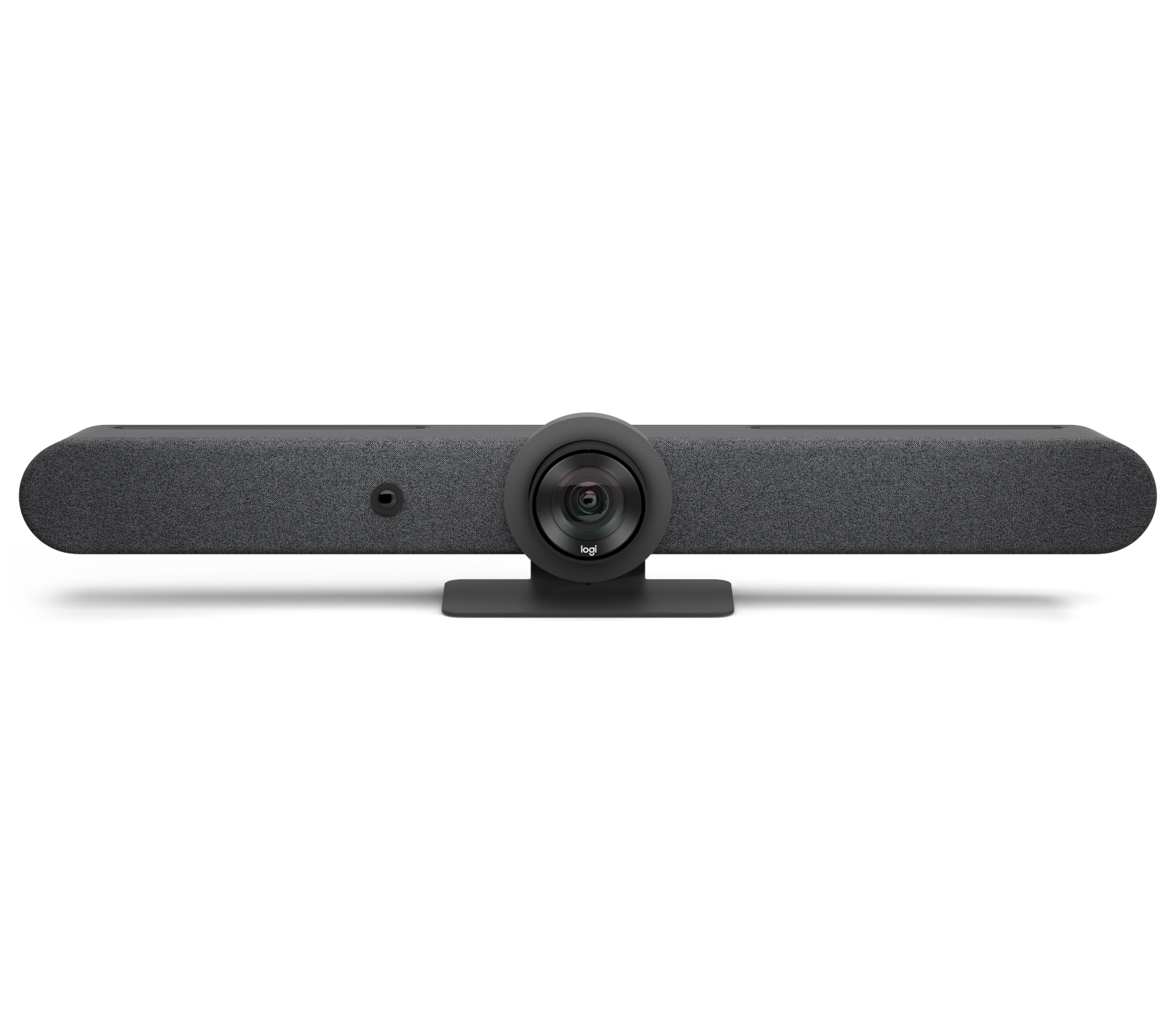
Logitech Rally Bar
- Manufacturer identifier
- 960-001308
- Variant
- Graphite
- Region
- US
- Verified
- Official source
- Manufacturer verification
- Manufacturer identifier
- 960-001564
- Variant
- TAA Compliant
- Region
- US
- Verified
- Official source
- Manufacturer verification
- Manufacturer identifier
- 960-001320
- Variant
- White
- Region
- US
- Verified
- Official source
- Manufacturer verification
The camera suits depth better than the family name suggests
Rally Bar uses a motorized camera with 5x optical zoom, an 82.1-degree horizontal field of view and wider total coverage through pan movement. Logitech also lists a 15x combined zoom, which includes digital enlargement. The optical and combined figures should not be treated as equivalent.
This gives the bar a credible role where participants sit along a table extending away from the screen. Optical zoom can give a distant speaker more presence without relying entirely on cropping. A very shallow, wide huddle space has a different problem: fitting nearby participants into the picture. In that room, a wider fixed view may be more useful than paying for reach.
The useful pilot view is the remote participant's view during an ordinary discussion. Check whether the camera changes help that person follow the conversation, including overlapping speakers and someone working at a whiteboard. Constantly changing a technically sharp image can still distract from the meeting.
The disagreement about room size is revealing
Logitech specifies an integrated pickup range of up to seven meters and support for four additional Rally Mic Pods. Those figures define available capability, not a guarantee for every room within that distance.
In a CommercialAV discussion about a 12-to-14-person room, practitioners disagreed about how many pods were appropriate and whether the bar alone was sufficient. One contributor described extensive lab use and favorable CollabOS behavior; others reported successful larger deployments with added microphones. Several focused on table length and reverberation rather than the nominal chair count.
That disagreement is useful evidence. Twelve people around a compact table and twelve people spread across a deep room do not create the same acoustic task. Cartennas would set microphone coverage from seating positions, normal speaking direction and the room's reflective surfaces. We would not turn either a manufacturer's distance figure or one installer's preferred pod count into a universal rule.
Microphone expansion has to be designed as a system
Logitech's placement guide illustrates arrangements for different room and table shapes, including configurations using speaker boost. Its purpose is to help place the microphones within an intended acoustic design, rather than encourage adding the maximum number everywhere.
More microphones can help a distant participant, but they do not remove the need to assess what each microphone hears. A speaker turning toward a colleague, a laptop fan near a pod and a reflective wall behind the table can alter the useful signal. Judge the result while participants interrupt, speak softly and turn away from the display. A single person reading toward the bar is an easier test than a real meeting.
Pod mounting and cabling also belong in the cost comparison. A permanent tabletop installation can keep microphones where they were designed to work. Loose accessories that move with cleaning or room rearrangement can gradually invalidate the original layout. For a room with frequent furniture changes, a different audio architecture may be easier to maintain.
Choose who owns the meeting
Rally Bar can run as an appliance or provide room peripherals over USB. Logitech lists separate room-software licensing for appliance operation and centralized device administration through Sync. Its specifications also distinguish the camera's available capture resolutions from the bar's display-output capability.
The operational distinction is who hosts the call. In appliance use, the room identity, calendar and controller provide a shared experience. In USB use, the connected computer owns the meeting application, its sign-in and its device selections. Both are valuable, but they produce different help-desk tickets.
A room that supports both needs a clear transition back to its normal state. Test a guest connection, camera and microphone selection, content sharing, disconnection and the next scheduled room meeting as one sequence. Proving each feature separately can miss the failure that appears only when one user leaves the room for another.
The value of a fleet standard
The positive technician evidence supports Rally Bar as a practical standard when rooms are sufficiently similar and software updates are managed deliberately. It does not establish that every room can use the same mount, pod count or USB cable path.
Our recommendation is strongest where the organization wants a repeatable experience across medium rooms while retaining a guest-laptop option. We would budget the complete installation, including the controller, audio expansion and table connectivity. For a highly reverberant boardroom, divisible space or complex presentation venue, compare a modular audio design before assuming a larger accessory bundle is the best extension of a bar.
Onsite installation support
Need help installing or replacing the Rally Bar?
Cartennas provides onsite installation, replacement, mounting, cabling, and Smart Hands support for business collaboration and AV equipment across the United States.
Request Installation SupportCartennas assessment
Rally Bar is a strong candidate for a standardized room fleet. Select it around camera geometry, proven audio coverage and the desired call-hosting workflow, then compare the cost of the complete room.
Cartennas analysis combining manufacturer specifications and compatibility documents with the dated firsthand evidence described in the review. Review methodology. Cartennas provides product procurement and onsite services. Product review terms.
Official manufacturer information
Confirm the exact model, specifications, licensing, warranty, and support terms directly with the manufacturer.
Product information was checked on September 5, 2026. Specifications, licensing, warranty, availability, and pricing can change.