Product identity
Manufacturer SKU, MPN, and model information
Use the manufacturer’s SKU, MPN, model identifier, or configuration code to match the exact equipment and variant.
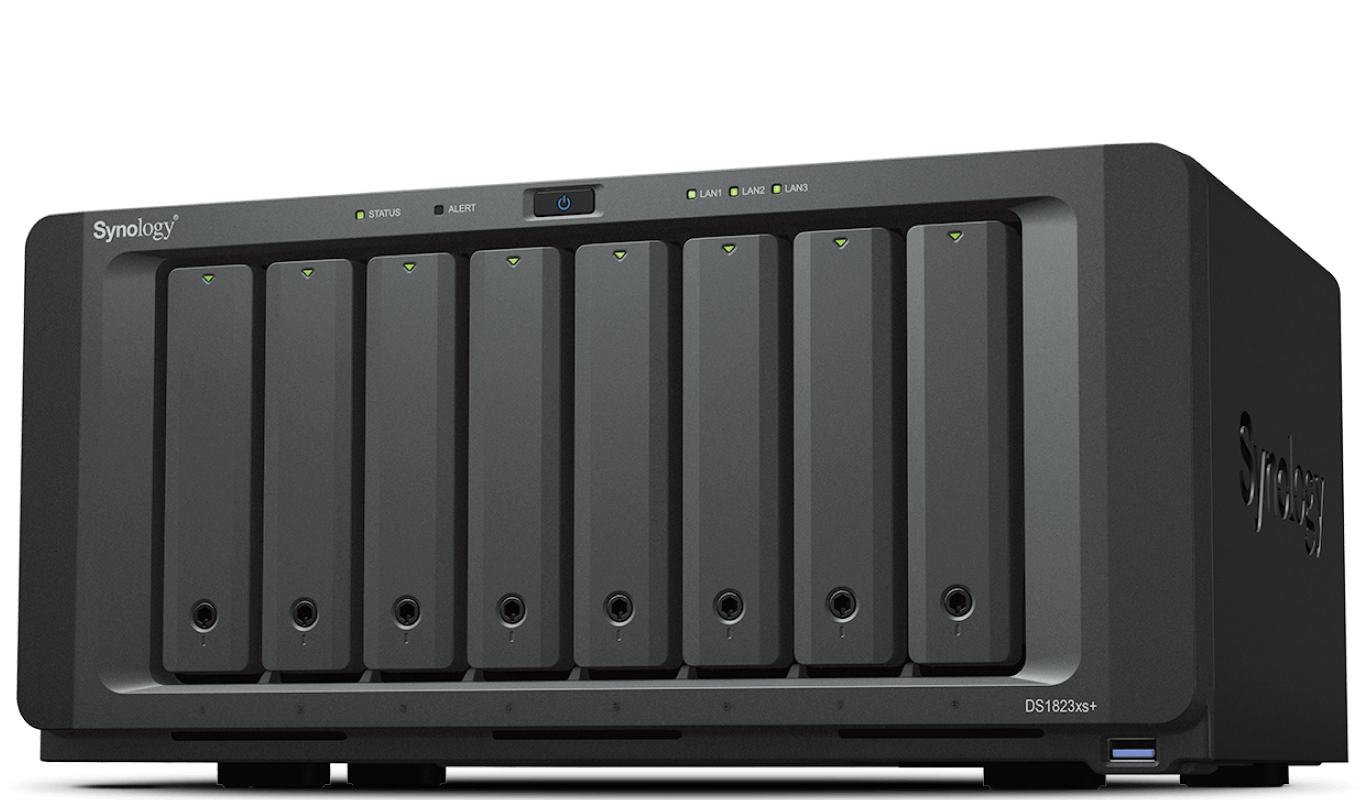
Synology DiskStation DS1823xs+
- Manufacturer identifier
- DS1823xs+
- Variant
- Synology DiskStation DS1823xs+
- Region
- US
- Verified
- Official source
- Manufacturer verification
QNAP TVS-h874
- Manufacturer identifier
- TVS-h874-i5-32G-US
- Variant
- Intel Core i5, 32 GB
- Region
- US
- Verified
- Official source
- Manufacturer verification
- Manufacturer identifier
- TVS-h874-i7-32G-US
- Variant
- Intel Core i7, 32 GB
- Region
- US
- Verified
- Official source
- Manufacturer verification
- Manufacturer identifier
- TVS-h874X-i9-64G-US
- Variant
- Intel Core i9, 64 GB, dual-port 10GBASE-T
- Region
- US
- Verified
- Official source
- Manufacturer verification
The starting configurations favor different priorities
The Synology is a more complete starting point when built-in 10GbE and its administration environment match the file-service requirement. The QNAP is attractive when its processing and expansion options solve a workload need beyond basic sharing.
The distinction is not that one is universally simpler or faster. It is how much configuration flexibility the organization needs and how much responsibility it is prepared to take for operating that flexibility.
| Decision | DS1823xs+ | TVS-h874-i5-32G |
|---|---|---|
| Processor approach | Ryzen V1780B | Core i5-12400 |
| Memory arrangement | ECC DDR4; model-specific limits | 32 GB included; 64 GB official maximum |
| Built-in data networking | 10GbE plus Gigabit ports | Two 2.5GbE ports |
| Management distinction | Separate out-of-band interface | QNAP operating and expansion environment |
| Storage-software decision | DSM and supported component model | QTS or QuTS hero/ZFS design |
The network comparison must include the expansion card
The DS1823xs+ includes a 10GbE data connection. The i5 QNAP configuration's base networking is 2.5GbE, while the cited high-speed independent tests used added 10GbE hardware.
That makes the expansion card and network path part of the QNAP quote when those results inform the purchase. A price comparison that uses the base QNAP cost and expanded QNAP performance combines two different systems.
Conversely, built-in 10GbE is not valuable merely because it is present. A client or application path that cannot use it may leave a lower-cost network arrangement entirely adequate. Cartennas would identify the actual bottleneck before paying to remove one elsewhere.
Practical tests show a shared workload distinction
Independent evaluations of both platforms found a substantial difference between large-file transfers and directories containing many small files. Each NAS could look fast in a sequential test while taking considerably longer to process an equivalent amount of small-file work.
Those tests used different drives, configurations and settings. They support a workload lesson, not a clean brand ranking. An eight-disk QNAP result and a four-disk Synology result should not be treated as interchangeable evidence.
For an office backup, test the real file mix and protection settings. For virtual machines or application storage, evaluate latency and concurrency as well as throughput. The useful result is completion of the intended workload within its required window.
Support policy and software architecture change ownership
Synology's component-support policy must be checked for this XS+ model. Changes announced for other product classes do not automatically establish what is supported here. A team relying on a generic spare-drive pool should account for that before adoption.
QNAP's choice between QTS and QuTS hero introduces a different architectural decision. Selecting ZFS, allocating memory and adding applications should follow the intended storage and recovery design.
Cartennas would favor a predictable supported configuration when administrative capacity is limited. Greater flexibility can be worthwhile when the organization has the expertise and workload to benefit from it. Neither approach removes the need to keep a recoverable copy outside the primary chassis.
Our recommendation follows the NAS's primary job
Favor the DS1823xs+ for a managed file-service role where DSM, built-in networking and its supported-component arrangement fit the organization. Its separate management path can also be useful at a remote site.
Favor the TVS-h874-i5-32G when its compute and expansion options address a measured need, with the required network hardware and memory included. Keep additional hosted services within a recovery plan the team can execute.
If both satisfy the workload, compare the complete operating cost and support model. A NAS should reduce uncertainty around data access and recovery; unused features are a weak reason to accept a more complicated system.
Onsite installation support
Need help deploying the technology you select?
Cartennas provides onsite installation, replacement, rack mounting, cabling, and Smart Hands support for business servers and storage equipment across the United States.
Request Installation SupportCartennas assessment
Choose Synology for the file-service and support model it supplies; choose the QNAP i5 configuration when its compute and expansion flexibility are useful. Compare complete network configurations and validate the actual workload rather than rank unrelated benchmark peaks.
Cartennas comparison of exact configurations, manufacturer documentation and available firsthand evidence; unmatched tests are not treated as a controlled ranking. Review methodology. Cartennas provides product procurement and onsite services. Product review terms.
Official manufacturer information
Confirm the exact model, specifications, licensing, warranty, and support terms directly with the manufacturer.
- Synology: DiskStation DS1823xs+ product and specifications
- Synology: DS1823xs+ drive compatibility list
- Synology: Drive compatibility policies
- QNAP: TVS-h874 hardware specifications
- QNAP: TVS-h874 product platform
Product information was checked on September 5, 2026. Specifications, licensing, warranty, availability, and pricing can change.