Product identity
Manufacturer SKU, MPN, and model information
Use the manufacturer’s SKU, MPN, model identifier, or configuration code to match the exact equipment and variant.
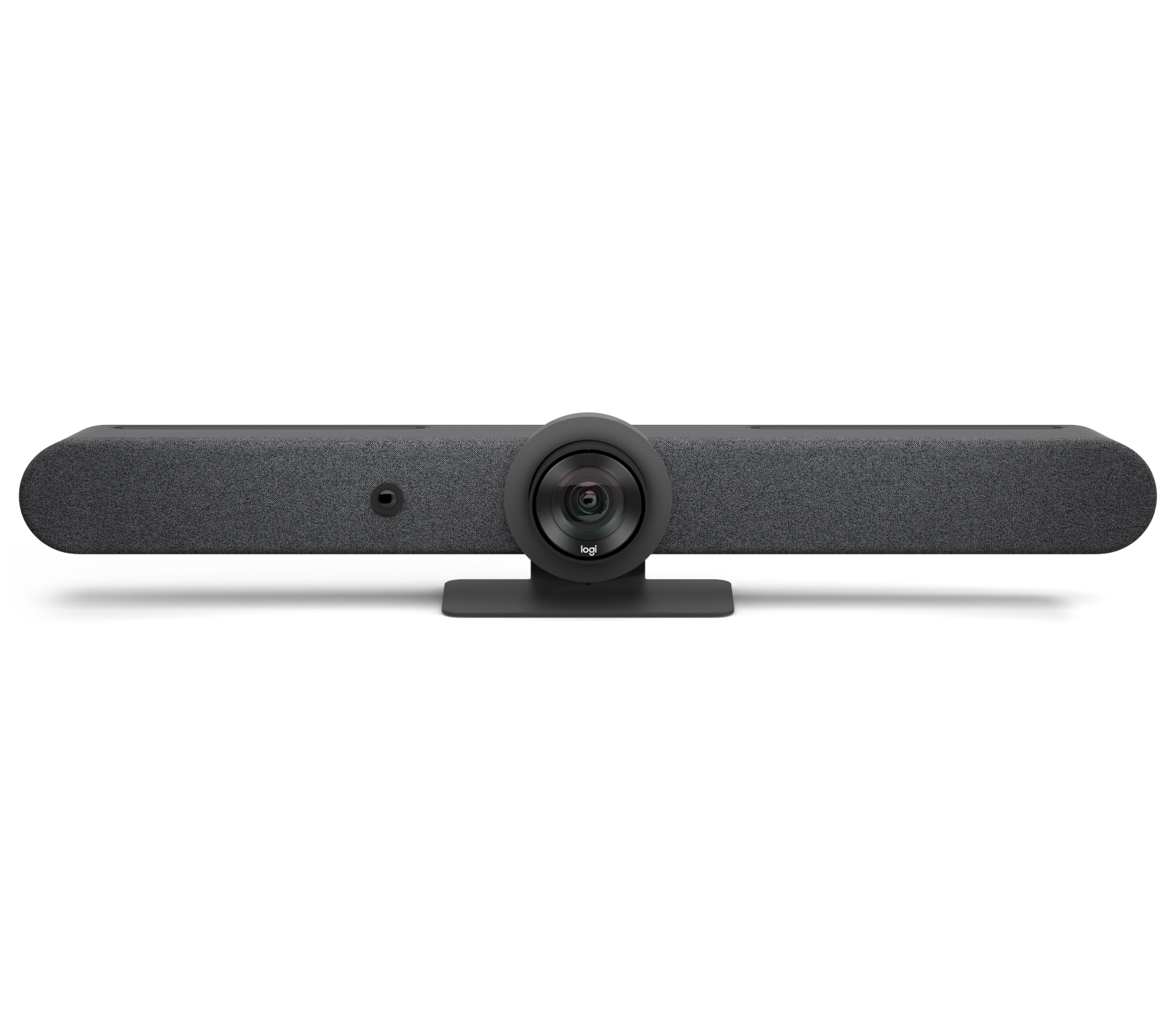
Logitech Rally Bar
- Manufacturer identifier
- 960-001308
- Variant
- Graphite
- Region
- US
- Verified
- Official source
- Manufacturer verification
- Manufacturer identifier
- 960-001564
- Variant
- TAA Compliant
- Region
- US
- Verified
- Official source
- Manufacturer verification
- Manufacturer identifier
- 960-001320
- Variant
- White
- Region
- US
- Verified
- Official source
- Manufacturer verification
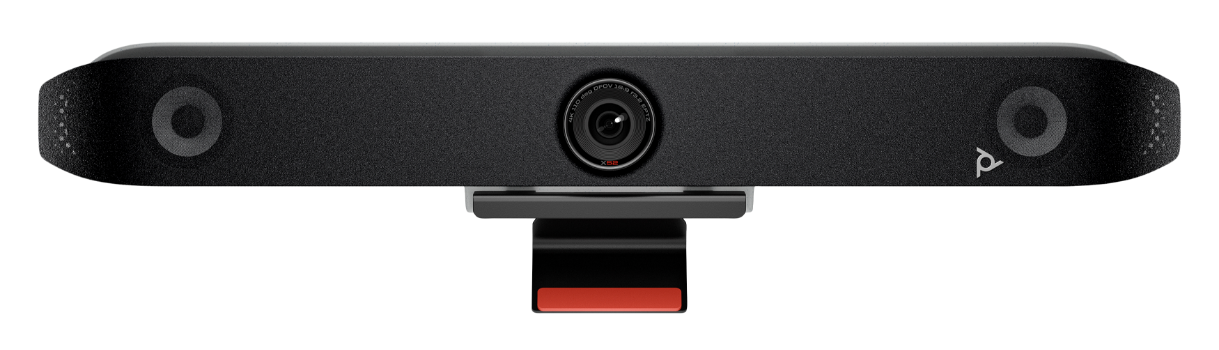
HP Poly Studio X52 All-in-One Video Bar
- Manufacturer identifier
- 8D8K2AA#ABA
- Variant
- Standalone Poly Studio X52, HP US Product #
- Region
- US
- Verified
- Official source
- Manufacturer verification
- Manufacturer identifier
- 7200-87620
- Variant
- Standalone Poly Studio X52, manufacturer product number
- Region
- US
- Verified
- Official source
- Manufacturer verification
- Manufacturer identifier
- 8D8K2AA
- Variant
- Standalone Poly Studio X52, HP base product number
- Region
- Not region-qualified
- Verified
- Official source
- Manufacturer verification
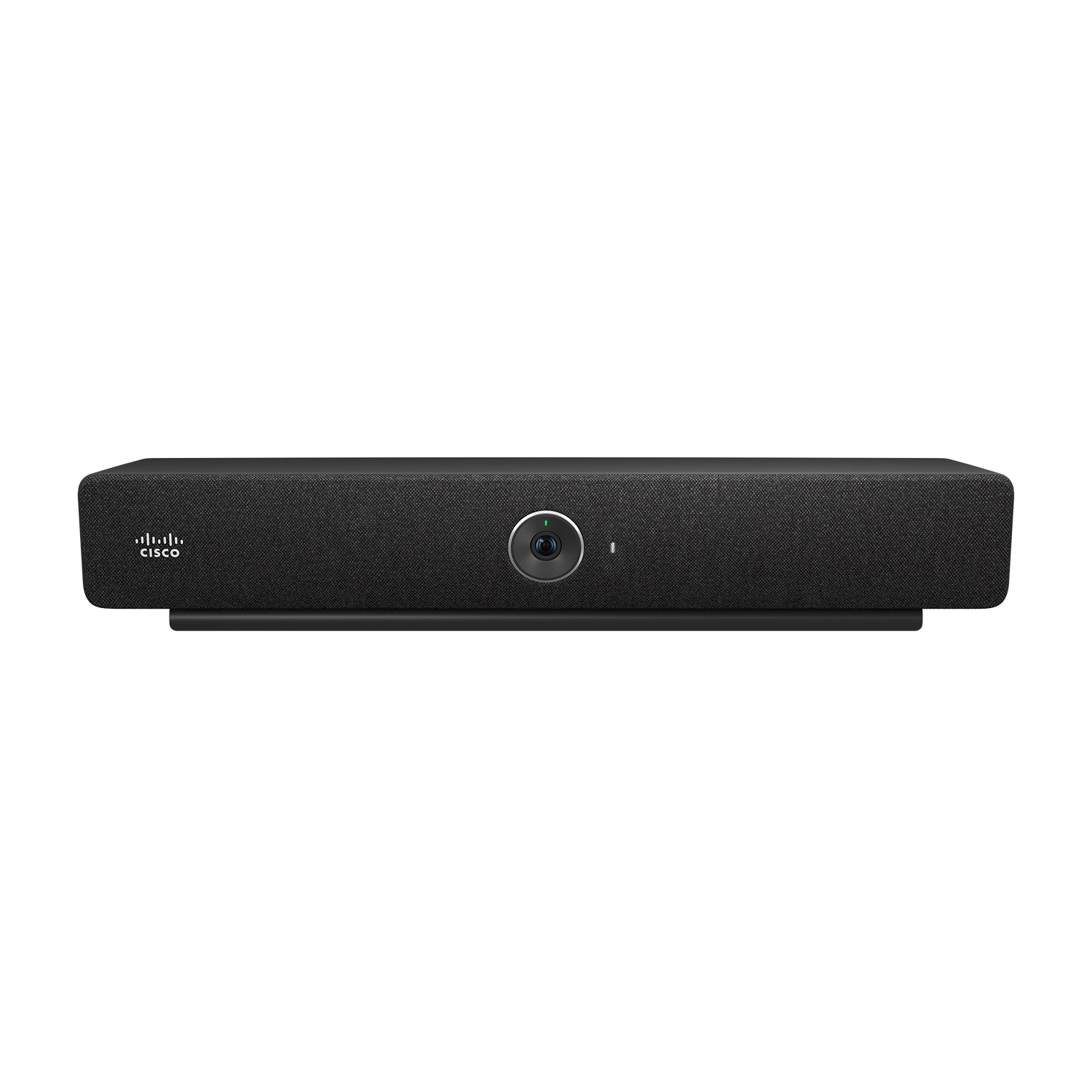
Cisco Room Bar
- Manufacturer identifier
- CS-BAR-T-K9
- Variant
- First Light with table-stand Room Navigator
- Region
- US catalog
- Verified
- Official source
- Manufacturer verification
- Manufacturer identifier
- CS-BAR-W-K9
- Variant
- First Light with wall-mount Room Navigator
- Region
- US catalog
- Verified
- Official source
- Manufacturer verification
- Manufacturer identifier
- CS-BAR-T-C-K9
- Variant
- Carbon with table-stand Room Navigator
- Region
- US catalog
- Verified
- Official source
- Manufacturer verification
- Manufacturer identifier
- CS-BAR-W-C-K9
- Variant
- Carbon with wall-mount Room Navigator
- Region
- US catalog
- Verified
- Official source
- Manufacturer verification
- Manufacturer identifier
- CS-BAR-NR-K9
- Variant
- First Light, no radio, with table-stand Room Navigator
- Region
- US catalog
- Verified
- Official source
- Manufacturer verification
- Manufacturer identifier
- CS-BAR-MM-K9
- Variant
- Radio MM with table-stand Room Navigator
- Region
- US catalog (MM)
- Verified
- Official source
- Manufacturer verification
- Manufacturer identifier
- CS-BAR-MM-NR-K9
- Variant
- No Radio MM with table-stand Room Navigator
- Region
- US catalog (MM)
- Verified
- Official source
- Manufacturer verification
- Manufacturer identifier
- CS-BAR-K9++
- Variant
- TAA Radio with table-stand Room Navigator
- Region
- US / TAA
- Verified
- Official source
- Manufacturer verification
- Manufacturer identifier
- CS-BAR-NR-K9++
- Variant
- TAA No Radio with table-stand Room Navigator
- Region
- US / TAA
- Verified
- Official source
- Manufacturer verification
Define the meetings the room must host
Start with the ordinary invitation, the guest invitation and the least favorable seat. A room that mostly joins one native platform has a different requirement from a room that regularly receives meetings from several organizations.
Include what people need to show: faces around the table, a whiteboard, shared content or a presenter moving through the room. That determines whether a broad fixed view, optical framing or another camera arrangement is appropriate.
The result should be a meeting design with a selected operating mode. Choosing the bar first and discovering the required registration or interoperability later can leave a technically functional room that users cannot operate reliably.
Shortlist by room and workflow
The products solve overlapping but different room problems. Rally Bar's optical zoom can be useful for tighter participant framing. The X52 starts with a wider view. Room Bar's very wide camera favors nearby participants in a compact space.
Choose from the view seen by remote attendees. A specification sheet cannot show whether the farthest person is framed usefully or whether a wide view includes distracting empty space.
| Primary job | Candidate direction | Decision that matters |
|---|---|---|
| Optical framing and expandable audio | Logitech Rally Bar | Motorized camera and supported microphone-pod design |
| A defined medium-room arrangement | Poly Studio X52 | Wider fixed view and supported native/USB workflows |
| Compact room with Cisco operating fit | Cisco Room Bar | Wide nearby coverage and a carefully selected registration mode |
Evaluate speech at the remote endpoint
The room's loudspeaker volume is not evidence of microphone pickup quality. Listen from the far end while people speak at normal levels from the difficult seats, including someone turned toward another participant.
A firsthand X52 test reported clear speech from 4.5 meters in a particular room. That supports a pilot for a similar arrangement, but glass surfaces, room depth and mechanical noise can change the result.
Microphone expansion can help when it addresses placement and coverage. It does not automatically cure reverberation or an acoustically difficult room. Reserve the audio design and any treatment as part of the purchase, rather than expect software processing to solve every physical problem.
Native mode and guest mode are separate systems to qualify
In appliance operation, the bar runs a supported room service. In a USB meeting, the guest computer becomes responsible for the call while using room peripherals. The transition changes device selection, content sharing and the return to the normal calendar.
Cisco Room Bar's interoperability differs between RoomOS and Teams arrangements, including whether Control Hub is part of the configuration. Its BYOD package also does not automatically include the Room Navigator. Those choices should be explicit in the quote.
Demonstrate the invitations the room actually receives. A platform logo on a product page does not establish that every joining method exposes the same controls or guest experience.
The cable path can become the room's weakest component
A supported USB workflow still depends on the installed cable or extension system and the guest laptop. USB-C also does not universally establish display output; the host and path need the required display capability.
Historical X52 feedback about a Mac losing peripherals after an update reinforces the need to test the actual guest devices. That report is not a current model-wide defect, but it identifies a transition that ordinary native-call checks can miss.
Exercise connecting during the expected room state, selecting devices, sharing content, ending the call and returning to the next meeting. Keep recovery instructions tied to those actions instead of making a full-room reboot the default response.
Standardize the complete room, then verify its operation
The complete configuration includes controller, mount, display connection, microphones, supported extensions and platform entitlements. Compare those installed systems rather than bare-bar prices.
Standardization can reduce support effort when the same actions, management tools and recovery steps work across rooms. That benefit disappears if nominally identical rooms use incompatible accessories or different operating modes without clear records.
Select the configuration that delivers intelligible far-end speech, useful framing and reliable meeting transitions. Record the acceptance result and keep the tested device and software arrangement visible to the support team. Those details determine whether the room remains dependable after installation day.
Onsite installation support
Need help deploying the technology you select?
Cartennas provides onsite installation, replacement, mounting, cabling, and Smart Hands support for business collaboration and AV equipment across the United States.
Request Installation SupportCartennas assessment
Choose a video bar from the meeting design and complete installed configuration. Qualify far-end speech, camera framing, native invitations and guest transitions before making it a room standard.
Cartennas buying analysis grounded in exact product configurations, manufacturer documentation and available firsthand operating evidence. Review methodology. Cartennas provides product procurement and onsite services. Product review terms.
Official manufacturer information
Confirm the exact model, specifications, licensing, warranty, and support terms directly with the manufacturer.
- Logitech: Rally Bar technical specifications
- Logitech: Rally Mic Pod placement guide
- HP Poly: Studio X52 product information
- HP Poly: VideoOS compatibility reference guide
- Cisco: Room Bar data sheet and feature availability matrix
- Cisco: Laptop calling through Cisco devices
- Cisco: Administration of Room Bar BYOD
Product information was checked on September 5, 2026. Specifications, licensing, warranty, availability, and pricing can change.